Tasks · Checklists · Work instructions
So standards are not just documented, but actually executed.
Team-Tasks connects work instructions with clearly assigned tasks, concrete steps and the required evidence. Staff work through the process directly in the app. Managers see the documented status without gathering information from chats and folders.
- Clear responsibilities instead of follow-ups
- Checklists and work instructions right in the task
- Prove completion with photo, comment, video or document

Real-world experience
coordination effort between management and team
effort for onboarding new employees
forgotten tasks – according to park management
Estimate by the management of Actionpark Hirschhagen after several months of use; in addition, an internal evaluation shows 30 % and 50 % fewer WhatsApp messages.
Case study
Fewer questions. Fewer forgotten tasks. More confidence in daily operations.
How Actionpark Hirschhagen organises daily operations for 15 employees
We document hosting and processing locations as well as any third-country transfers transparently in our privacy policy and sub-processor list.
From chaos to clarity
Three typical problems — and how Team-Tasks solves them.
Spread across Excel, WhatsApp and email
Tasks scatter across spreadsheets, chats and inboxes. Team-Tasks brings everything together in one central task manager.
Missing evidence and documentation
What was done, when and by whom? Photo, video, comment or document are attached directly to the task and remain traceable at any time.
Information loss on status changes
Bundled in-app and email notifications keep everyone in the loop — without information overload.
Six core features that carry your workday
Each a real benefit on its own – together they carry your workday.

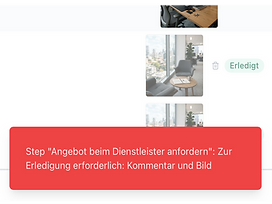

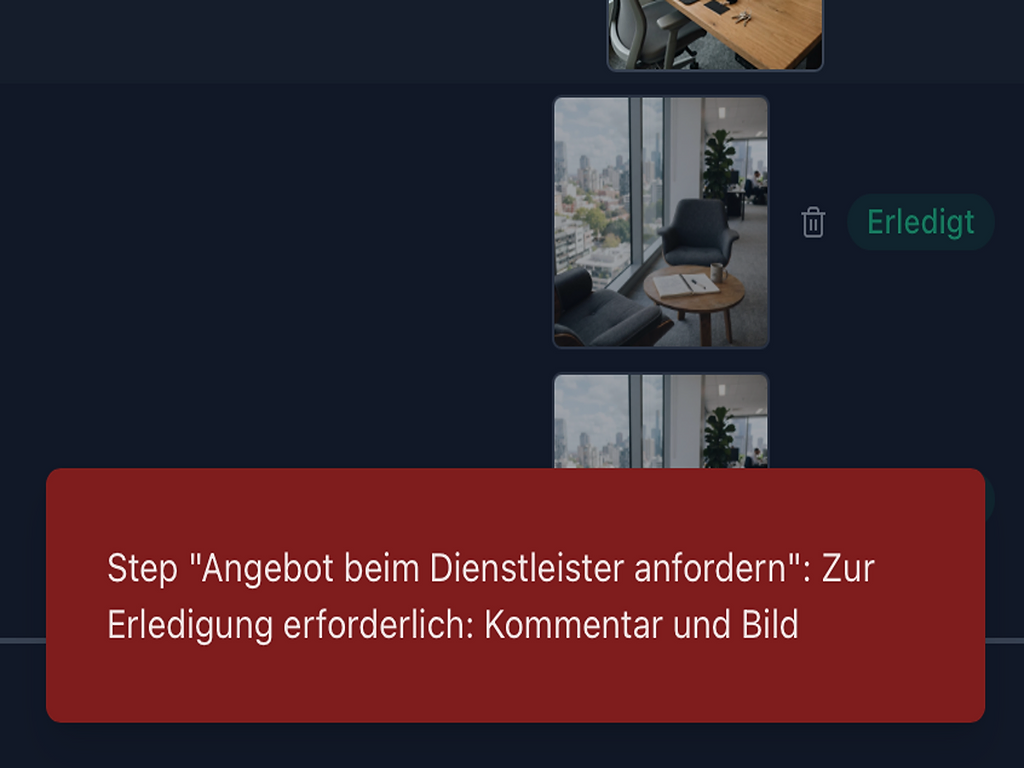
Binding completion with proof
Tasks can only be closed once all steps have been processed according to the completion rules and the required evidence is attached: photo, comment, video or document. Execution is documented, not just ticked off.

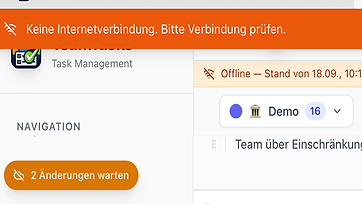

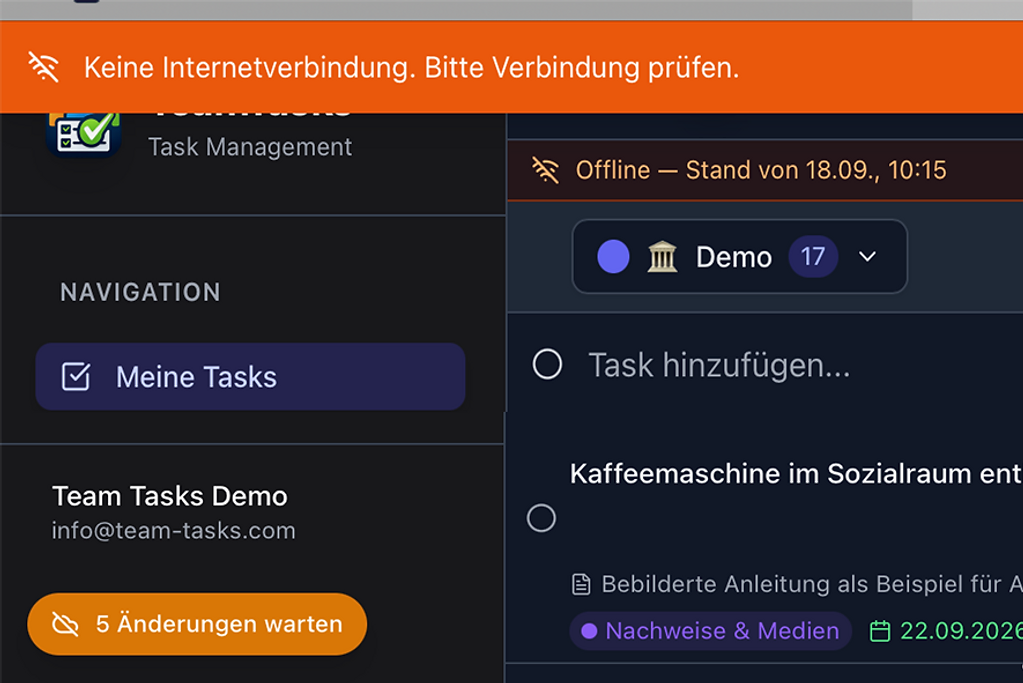
Mobile & offline work
Keep working on site, in cellars or on the road without a connection. Changes sync automatically later, conflicts are detected.

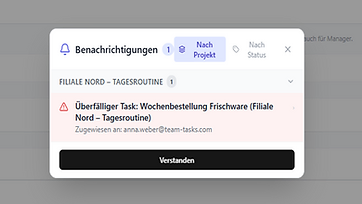

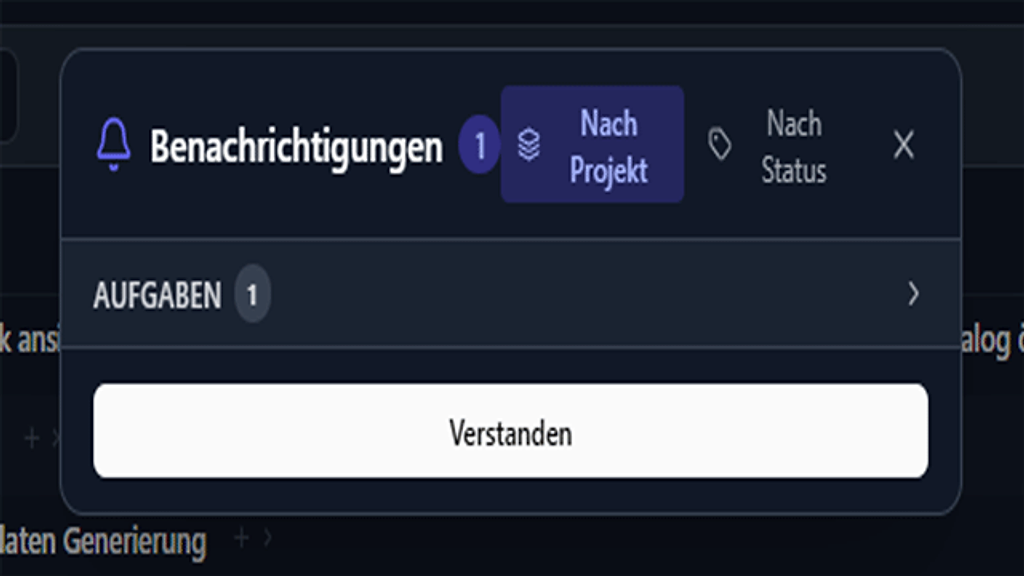
Collaboration without information chaos
Status changes update automatically. Targeted in-app and bundled email notifications replace the back-and-forth of WhatsApp and email.

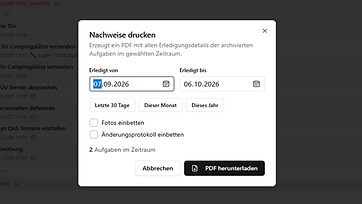

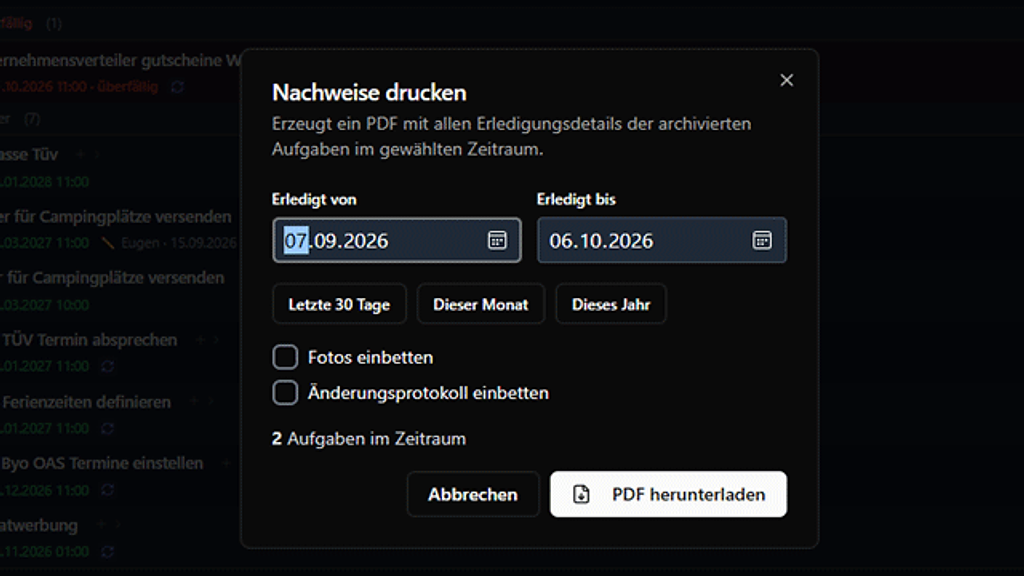
Full traceability
Changes, comments, attachments, assignees and timestamps remain traceable. Projects can be exported including media and metadata. Evidence can be printed with all execution details.

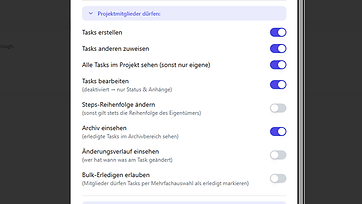

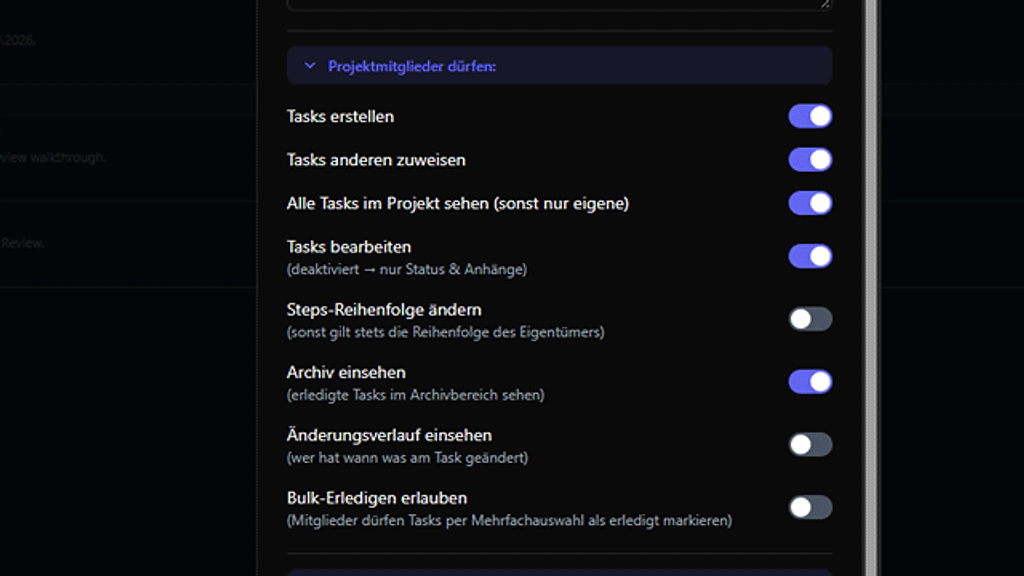
Precise roles, visibility & tenant separation
Decide who may view, edit, manage or archive tasks. Multiple companies, locations or tenants stay strictly separated.

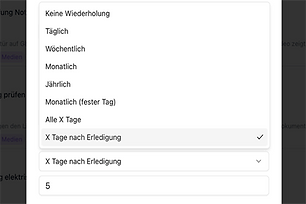

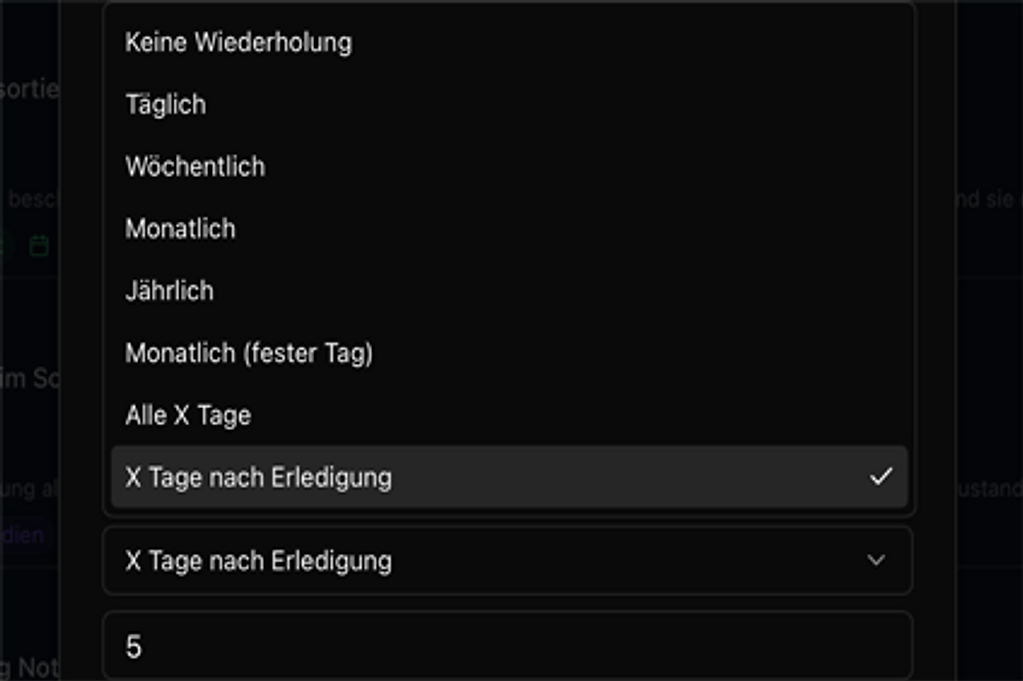
Automate recurring tasks
Maintenance, inspections, cleaning schedules and routines are automatically recreated at the right time – recurring work doesn't have to be reorganised every time.
Simple & fast
Start in minutes with a first task list and expand the workflow as needed.
High detail on demand
Raise the level of detail significantly through the many settings – steps, mandatory fields, roles, recurrence.
Use Team-Tasks where you work
Via app, browser, REST API – or directly through compatible AI assistants. Via the open MCP standard, Team-Tasks makes projects, tasks and workflows accessible to authorised AI applications within your permissions.
Connect Team-Tasks to AI assistants
Connect Team-Tasks to compatible AI assistants via the open MCP standard. For example, retrieve, create or edit projects and tasks in natural language – within the permissions of your Team-Tasks account.
Compatible with ChatGPT and other MCP-capable applications. Included from the Free plan.
Two kinds of agents: personal agents are connected by users themselves in every plan. From Business & Organisation, company agents are separate accounts you assign recurring tasks to – with their own history and result review.
Team-Tasks makes organisational knowledge executable – and completion verifiable.
Where teams usually start
Four everyday situations where Team-Tasks saves follow-up questions right away – each card leads to the detail page with a step-by-step workflow and a practical example.








The way of working behind it:Digital checklistsWork instructions & SOPKnowledge preservation
For teams where tasks must be completed reliably
Typical industries that benefit from structured task management.
Facility management & property
Maintenance and inspection rounds become documented tasks — with documented steps, evidence such as photo or video, and automatic recurrence.
- Property inspections
- Maintenance schedules
- Handovers
Crafts & service teams
Complete orders with steps and attachments directly on site, with status visible to the office in real time.
- Work instructions
- Repair checklists
- Photo documentation
Gastronomy & branches
Cleaning and inspection schedules, opening and closing routines standardised — centrally managed across all branches.
- Hygiene routines
- Opening routines
- Closing routines
Production & maintenance
Maintenance intervals and safety checks automatically scheduled and traceably logged.
- SOPs
- Quality controls
- Machine maintenance
Leisure & event venues
Ride and system checks, safety rounds and staff briefings documented mandatorily — before, during and after operations.
- System checks
- Safety rounds
- Staff briefings
Public administration
Building inspections, fleet and grounds: recurring inspection duties scheduled, documented and traceably completed.
- Building inspections
- Fleet
- Grounds
- Inspection duties
Legal & compliance
Documents for your data protection and IT review.
DPA
Data processing agreement, digitally signable – available on our legal page or in the web app.
TOMs
Documented technical and organisational measures.
Sub-processor list
All sub-processors visible and traceable.
Versioned legal texts
Legal texts with version archive and change history.
Automated retention
Data deletion according to configurable retention periods.
Online cancellation
Cancel online per § 312k BGB.
Electronic withdrawal
Withdraw electronically per § 356a BGB.
No tracking or analytics tools in the app
On our website we use Google Analytics only with your consent. No such tools are used in the Team-Tasks app. Operational, security and error logs as well as records of task changes serve operation, security and documentation.
Hosting in Frankfurt
Primary database in Frankfurt. Further processing locations and possible third-country access are listed in our sub-processor list.
Data subject rights in account
Data access, consent revocation, rectification and account deletion directly in the account – no support ticket.
Compliance registers
Processor, DSFA, incident and restore-test registers with deadline monitoring.
The right plan for your daily work
Start for free and switch to a paid plan only when your team needs more. Premium is for the self-employed and small teams; Business & Organisation for companies, associations and public bodies with a company account, roles and permissions; Enterprise for organisations from 100 participants or with individual requirements.
Free
Private projects and occasional use
- Full core functionality
- Create up to 6 own projects
- Participate in a maximum of one external project
- Up to 30 open tasks per project
- Invite up to 1 member per project
- Attachments, comments and in-app notifications
- Email notifications
- Categories
- Recurring tasks
- Google Calendar sync
- Mobile use (iOS & Android)
- Offline support
- Two-factor authentication
- Personal AI agent via MCP (ChatGPT, Claude)
- Daily morning email
- Printable evidence reports (PDF)
- Data access and export after contract end
Premium
Self-employed and small teams
incl. VAT
Monthly billing. Cancel at any time at the end of the current monthly billing period.
- Everything in Free
- Use without volume limits for a single account
- Unlimited participation in projects
- Unlimited project invitations
- Project export
- Priority support
Business & Organisation
Companies, associations and public bodies
net/month, plus VAT
Monthly billing. Cancel at any time at the end of the current monthly billing period.
| up to 5 users | 29 € /month |
| up to 15 users | 69 € /month |
| up to 30 users | 119 € /month |
| up to 60 users | 199 € /month |
| up to 100 users | 299 € /month |
- Everything in Premium
- Company account for an organisation
- Role and permission management
- Company-wide settings & archive management
- Custom email templates and sender
- REST API access
- Audit log
- Backup & restore and compliance registers
- Automatic backups (daily/weekly) incl. storage bookable
- AI company agents as separate accounts (count as participants)
- Private media storage included (can be activated)
- Tiered pricing by participants (up to 100)
Enterprise
From 100 participants or special requirements
Quote on request
- Everything in Business
- Custom quote
- Individual onboarding
- Special requirements & SLA on request
- Dedicated contact person
- Branch management for multi-site and franchise structures
- Company groups with consolidated billing
- Custom interface development bookable
| Plan comparison | Free | Premium | Business & Organisation | Enterprise |
|---|---|---|---|---|
| Pricing model | Free | Per user/month | By participant count | Custom quote |
| Target group | Personal use | Individuals & small teams | Organisations | Large & special cases |
| Volume limits | Yes (shown in app) | None | None | None |
| Account type | Single account | Single account | Company account | Company account |
| External users | Limited | Included | Included | Included |
| Attachments & comments | Included | Included | Included | Included |
| In-app notifications | Included | Included | Included | Included |
| Email notifications | Included | Included | Included | Included |
Free
- Pricing modelFree
- Target groupPersonal use
- Volume limitsYes (shown in app)
- Account typeSingle account
- External usersLimited
- Attachments & commentsIncluded
- In-app notificationsIncluded
- Email notificationsIncluded
Premium
- Pricing modelPer user/month
- Target groupIndividuals & small teams
- Volume limitsNone
- Account typeSingle account
- External usersIncluded
- Attachments & commentsIncluded
- In-app notificationsIncluded
- Email notificationsIncluded
Business & Organisation
- Pricing modelBy participant count
- Target groupOrganisations
- Volume limitsNone
- Account typeCompany account
- External usersIncluded
- Attachments & commentsIncluded
- In-app notificationsIncluded
- Email notificationsIncluded
Enterprise
- Pricing modelCustom quote
- Target groupLarge & special cases
- Volume limitsNone
- Account typeCompany account
- External usersIncluded
- Attachments & commentsIncluded
- In-app notificationsIncluded
- Email notificationsIncluded
Frequently asked questions
The key questions at a glance – the full help centre is on a separate page.
Team-Tasks connects work instructions with clearly assigned tasks and individual steps. Depending on the settings, a task can only be completed once the relevant steps have been processed according to the defined rules and the required evidence has been attached. Comments and history remain on the task.
Yes. The Free plan is permanently free and usable without payment details. The limits on projects, tasks and members are shown in the app.
In the Premium plan a fixed price per user and month applies. In the Business plan pricing is tiered by participant count (up to 100). Beyond that we create a custom Enterprise quote. Current prices are shown in the pricing block above or in the app under “Plans”.
Yes. On site, in cellars or without reception you can keep working. The app keeps opened projects on the device. Changes, photos and comments are cached there and transferred automatically as soon as you're back online. If several people changed the same task offline, the app detects the conflict and shows it for resolution. Until synchronisation, changes exist only on the device – so briefly open the app once you're back online so everything is transferred. Videos are only possible to a limited extent offline; use the device's camera app instead.
The primary database is in Frankfurt. Further processing locations and possible third-country access are listed in our sub-processor list on the legal page.
Yes. The data processing agreement is digitally signable – available on our legal page or directly in the app, without paper.
Yes. Projects can be exported completely as a ZIP – including all tasks, media and metadata, structured as JSON and CSV. So you're not tied to us.
Cancel online at any time, no phone call or form. With monthly billing the contract ends at the end of the current monthly billing period. With annual billing, the initial contract period is 12 months; cancellation and renewal depend on your contract status. Consumers can continue monthly at the monthly price after the initial period. For Business, one month's notice applies before annual renewal. Details before booking and in our terms.
The Business plan includes company management, roles and permissions, API access, audit log, backup & restore and compliance registers. Priority support is included from Premium. The Enterprise plan adds individual onboarding and SLA.
From Business, you can add the automatic backup service including storage volume. You choose whether backups run daily or weekly; they run at night. Each backup is a restore point – a complete data state you can return to. You freely set the retention period, with a minimum of 30 days. Backups are stored separately from the production system on external object storage in Germany (Hetzner, Falkenstein). Every backup is locked via Object Lock for 30 days – during this time it cannot be modified or deleted by ransomware or with stolen credentials. Only in special cases can a strictly limited group of the operator's staff delete a backup early.
Yes. One person can work in several companies and switch between them – the data stays strictly separated (tenant separation). For organisations with multiple locations, branches or franchise partners, the Enterprise plan offers branch management: multiple branches under one tenant, a cross-branch view and branch-specific roles.
Which workflow would you like to organise reliably first?
Start with Team-Tasks now or request a personal demo.